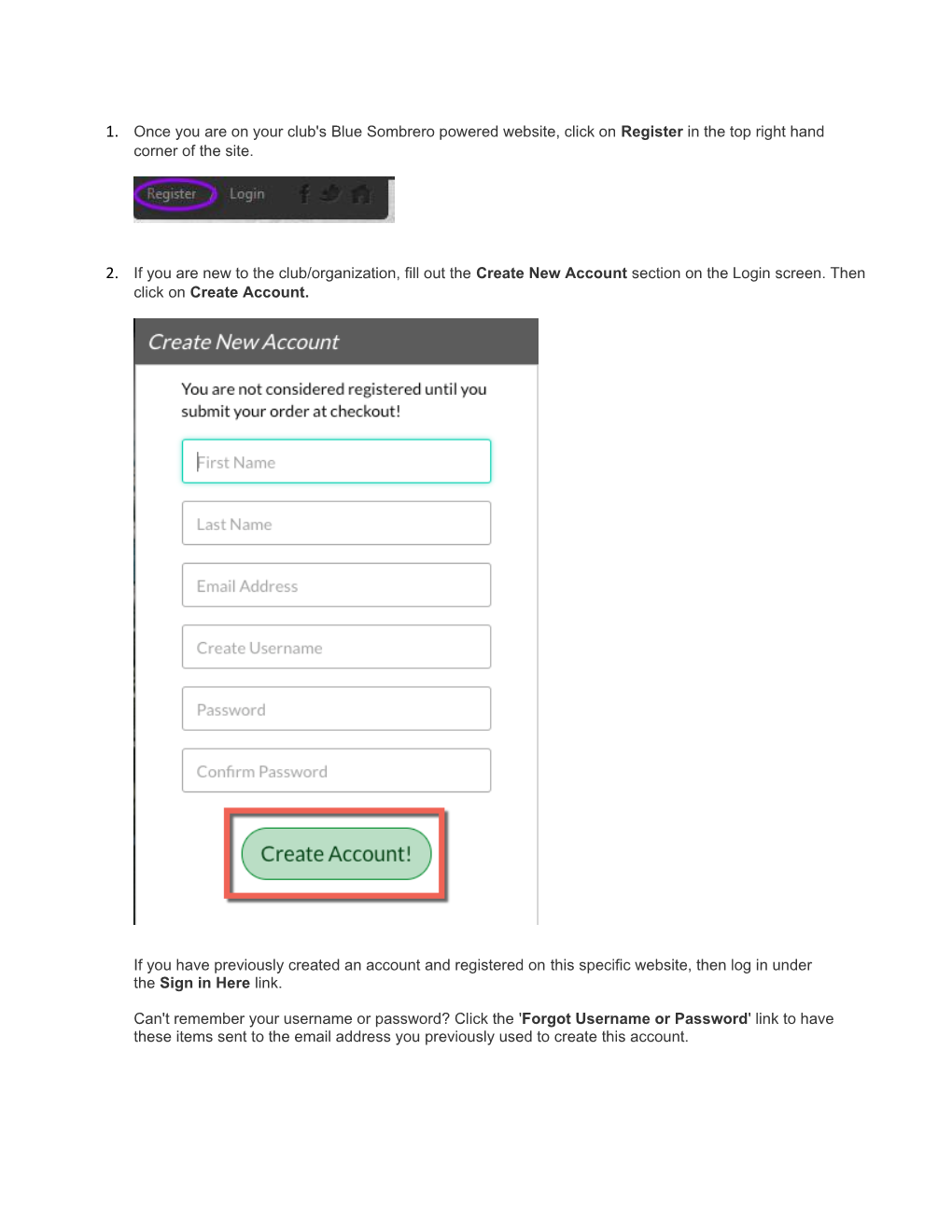
- Once you are on your club'sBlue Sombrero powered website, click onRegisterin the top right hand corner of the site.
- If you are new to the club/organization, fill out theCreate New Accountsection on the Login screen. Then click onCreate Account.
If you have previously created an account and registered onthis specific website, then log in under theSign in Herelink.
Can't remember your username or password? Click the'Forgot Username or Password'link to have these items sent to the email address you previously used to create this account. Once you have logged in to your account, click thePrograms Available!button next to your son or daughter's name andskip toStep 5. - Fill out thePrimaryParent/Guardian Informationsection. If you wish to add a Secondary Parent/Guardian’s email (to be cc’d on all Program related emails), enter their information in the Secondary Parent/Guardian Information section and click “Create Secondary Account User & Continue”. If not, leave the area blank and clickSubmit.
- Fill out theAdd a New Participantsection. Make sure your son or daughter's birth date is set correctly or it might not fall within the division parameters the club's Administrator has set. Click onContinue.
- Select theProgramyou'd like to sign your son or daughter up for. Click onContinue.
- Fill out allAdditional Participant Information. Click onContinue.
- Sign up to volunteer on theVolunteer Selectionpage. Choose the Volunteer position you’re interested in, and you will be prompted to complete information about the volunteer position. If you do not wish to volunteer, mark the appropriate box below. ChooseContinue.
- The last screen is theCheckoutscreen. Review yourRegistration Summary, select yourPayment Type, select yourPayment Option(Pay in FullorPayment Plan if it is being offered), enter inAddress and PaymentInformation, read and agree to theTerms & Conditions,and then selectSubmit Order.
- After you submit your order, you will be brought to aRegistration Order Summarypage. You will also receive a confirmation email, detailing your registration.
- You just completed the online registration process!
Need more help? Check out ourParent Registration FAQs.
View original article